
Share article
Traffic Is Growing, But There Are No Leads: Where Your Website Is Losing Customers
Send via messenger or social network
Traffic Is Growing, But There Are No Leads: Where Your Website Is Losing Customers

How to break down traffic growth by page, review the offer and trace an enquiry through to the CRM. Calculations and tasks for a B2B services website.

Traffic is growing, while the sales team is getting roughly the same number of relevant enquiries. Before increasing the budget, open the landing page report. The growth may have come from guides and blog posts, while the service pages have barely changed.
Check three possible causes: audience mix, the terms presented on the page, and delivery of the enquiry to the sales manager. The fixes will be different. A broken CRM integration needs to be repaired; for a visitor with the wrong need, a new button will not change anything.
Let’s look at a company that maintains office IT infrastructure. The sample calculations below will help segment the traffic, while the example tasks will help discuss improvements with the editor, developer, and sales team.
1. Check what exactly has grown
Overall traffic combines people with different intentions. One visitor is looking for a contractor to support 50 workstations. Another wants to configure a printer on their own. A third is reading an article before a job interview. All three visits will be included in the total, but their likelihood of submitting an enquiry is different.
Start with landing pages. Look separately at services, comparisons, case studies, and informational guides. Then segment by sources and devices. For the first analysis, two comparable periods and a few main page groups are enough.
| Page group | Visits before | Enquiries before | Visits after | Enquiries after |
|---|---|---|---|---|
| Services | 2 000 | 80 | 2 400 | 96 |
| Guides and blog | 8 000 | 20 | 13 600 | 16 |
| Total | 10 000 | 100 | 16 000 | 112 |
On the service pages, the conversion rate remained at 4%. Almost all the additional traffic came to the guides. Check which topics drove it and whether potential support clients are among the readers. There is no reason yet to redesign all the forms in this table.
For your own table, decide in advance how an enquiry is linked to a visit. Do not mix unique enquiries from the CRM and all goal completions in one column: these are different units of measurement. Also agree on how to account for repeat enquiries and users returning through another channel.
2. Follow the buyer’s path from search query to sales manager
Choose one service the business is currently counting on. Take a real question from the sales team and open the page that the person lands on. Go through the journey on a phone: read the terms, find the supporting proof, fill in the form, and check that the enquiry is received.
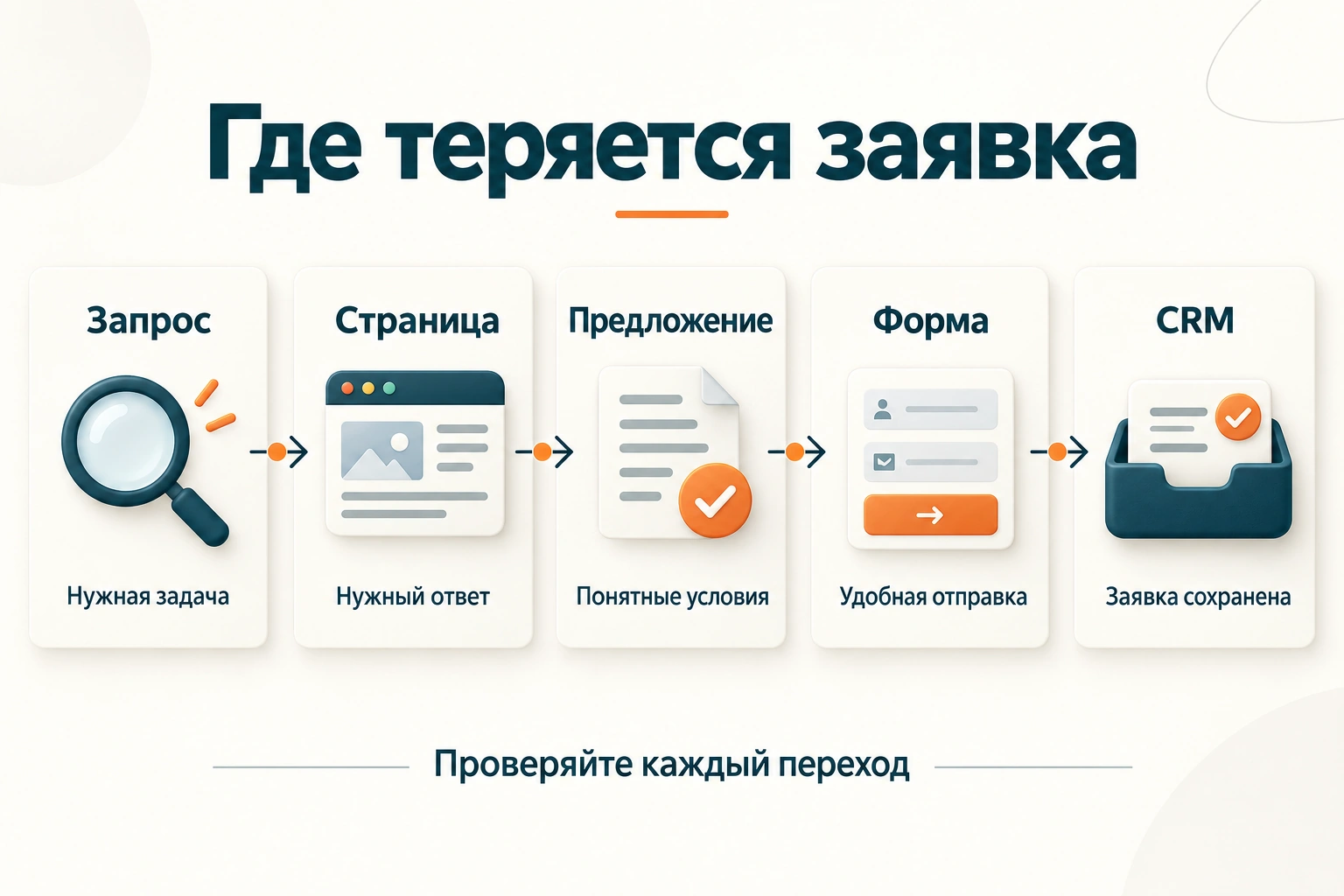
| Journey stage | What the customer needs to understand or do | What the team should check |
|---|---|---|
| Request → page | This solves my problem | Do the need, segment, and geography match? |
| Page → offer | The scope of work and limitations are clear | Are there specific terms instead of generic promises? |
| Offer → trust | There are grounds to discuss a purchase | Are the process, documents, and relevant examples shown? |
| Form → submission | I can get in touch without extra effort | Are the fields convenient and the errors clear? |
| Submission → CRM | The company has received the enquiry | Has the request been saved and a responsible person assigned? |
Write down exactly where you had to guess. “The website doesn’t sell” cannot be handed over to a developer. “On the mobile service page, the button leads to a form where the mandatory budget field is not explained” is already the start of a specific task.
3. Make sure you have brought in a person with the right need
The company sells IT outsourcing for offices, but its most visited piece of content is about home Wi-Fi. It may be a useful article. However, its audience is not necessarily choosing corporate network support.
Compare the topics driving growth with buyers’ needs. For B2B support, questions about handing infrastructure over to a contractor, allocating responsibility, the scope of support, and what happens in the event of a failure are closer to the service selection stage.
Do not add the same banner to every article. Formulate the next step based on what the visitor has just read: get a list of questions for handing over IT support, describe the infrastructure for an estimate, or discuss a specific failure. The link should lead to a page that continues the topic.
If growth came from a paid channel, also check whether the ad matches the landing page. A fixed-price promise in an ad and an individual calculation on the website without explanation creates a disconnect before the visitor has even got to know the company.
4. Replace generic promises with selection criteria
Visitors are not expected to know what the company means by “comprehensive maintenance.” For one contractor, it may mean remote consultations during business hours. For another, it may also include on-site visits, server support, inventory management, and working with vendors.
Then explain each point: what is included in an on-site visit, when remote support is available, and which incidents require separate approval. The manager should be able to refer to these terms easily in a conversation with the client.
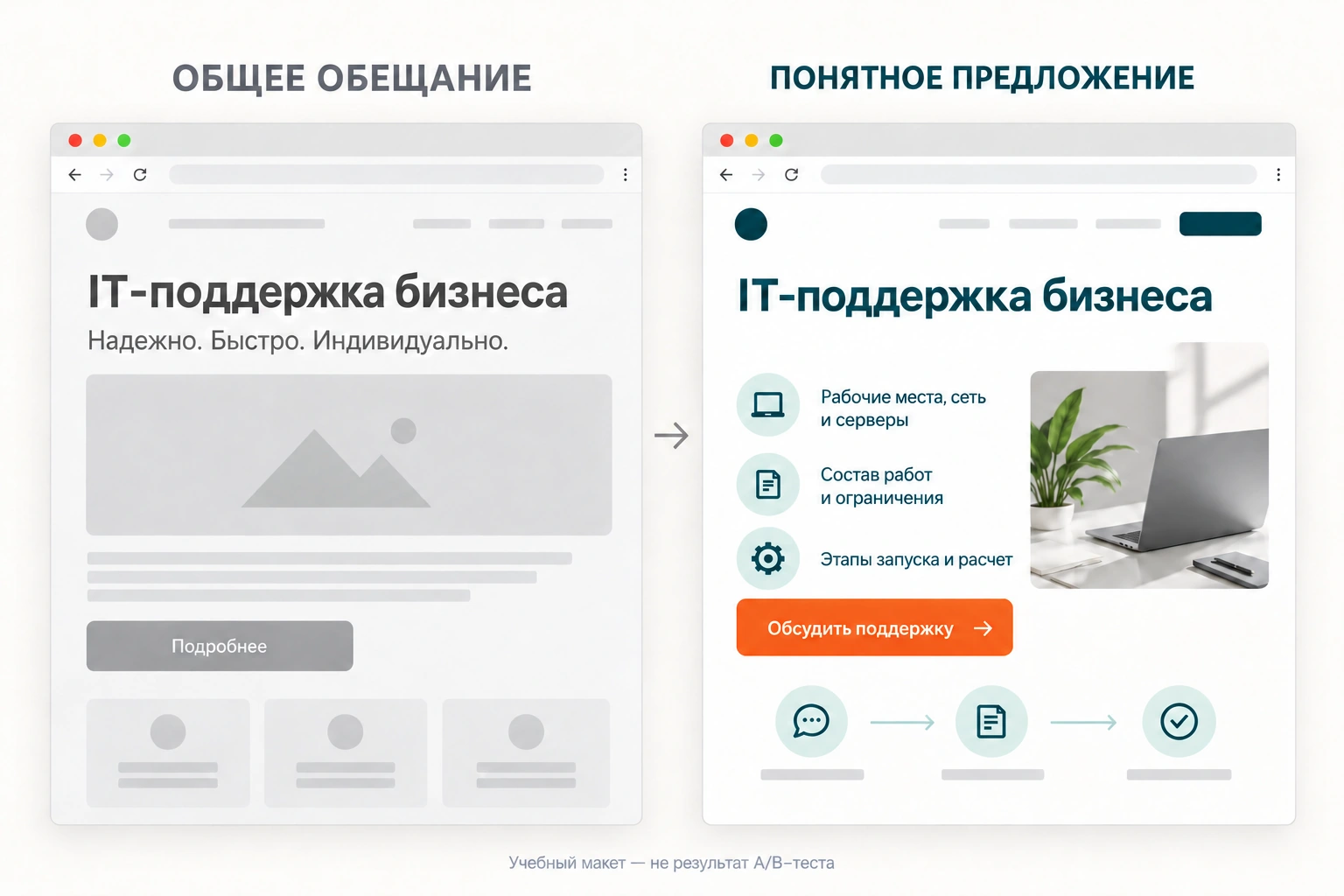
| Client question | What to add to the page |
|---|---|
| Are you a good fit for our company? | Client types, geography, and service limitations |
| What is included in the work? | Scope of support and separately billed tasks |
| What does the price depend on? | Calculation parameters and an example proposal scope |
| What happens if there is a failure? | Contact procedure, priorities, and agreed response terms |
| How do we start working together? | Stages of the audit, access handover, and launch |
If you cannot provide a fixed price, explain how the cost is calculated. For infrastructure support, this may include the number of workstations, servers, support hours, and the need for on-site visits. Do not use an attractive “from” price if the reader cannot understand what scope it applies to.
5. Show evidence that helps customers make a decision
A list of well-known logos does not explain whether you can solve a specific client’s problem. Match your proof points to the client’s concerns.
When handing over IT support, it is useful to show an anonymized sample launch plan, the structure of a support request report, the team composition, and the escalation procedure for a complex incident. In a case study, include the initial situation, constraints, work completed, and measured result.
Do not replace missing data with attractive numbers. If response time was not measured in the same way before and after, do not publish a percentage improvement. You can honestly show what was introduced: a single support request channel, an assigned owner, an incident log, and an agreed priority process.
Testimonials should also answer the client’s question. The phrase “we liked everything” provides little information. A detailed, approved testimonial about moving from an in-house administrator to an external team helps explain the process. Use real, verified materials for publication.
6. Make the first inquiry easier while keeping the necessary information
For an initial conversation, the company asks for the organization name, taxpayer identification number, revenue, number of employees, full equipment list, budget, phone number, and address. The visitor has to compile a small internal report, even though at this stage they only want to understand whether the contractor is a good fit.
Separate the information needed for the first contact from the information needed for the audit. At the first step, ask for a contact method and a brief description of the task. If the number of workstations is truly needed to route the inquiry, explain why. A detailed inventory can be agreed after the initial discussion.
There is no universal ideal number of fields. For a complex estimate, additional information can save time for both sides. Check the purpose of every required field: who will use the value, and what will happen if it is not available yet.
| Problem | Specific improvement |
|---|---|
| It is unclear what to write in the “Task” field | Example: “Need office support, 35 workstations, have a server” |
| No data for a required field | The option to select “I don’t know yet,” if the process allows it |
| The error is visible only after submission | A clear hint next to the field, with entered data saved |
| The button is hidden behind the keyboard | Test the form on a phone and ensure correct scrolling |
| After submission, it is unclear what happens next | A message about the next step with realistic response terms |
The button should describe the action: “Discuss support” or “Send the task for estimation.” Use “Get an estimate” if completing the form really leads to an estimate, rather than a mandatory long questionnaire without explanation.
7. Check whether analytics is counting clicks instead of inquiries
A goal may trigger on a button click even though the server returned an error. Another common case is a repeated event when the thank-you page is reloaded. So first define the business event, and only then its technical label.
Metrica allows you to send a goal event via
reachGoal; the corresponding identifier must match the configured goal. The developer chooses where to place the call based on the application’s real scenario. Yandex Metrica documentation (opens in a new tab).
Sample event names to discuss with the team:
form_opened       — форма открыта
form_submit_click — нажата кнопка
lead_saved        — обращение сохранено
lead_qualified    — менеджер подтвердил соответствие задаче
Agree event names with the existing analytics system. The last event usually requires data from the CRM; it cannot be reliably obtained from a website click alone.
When reconciling data, use the time and internal request ID. Do not include phone numbers, emails, or inquiry text in event names. They are not needed to verify volumes and create unnecessary distribution of client data.
Test the form together with the responsible employee. The test must be marked so it does not end up in live sales statistics. If email delivery fails, the inquiry should remain available in the designated storage, and the team should see the failure.
8. Do not stop your analysis at the number of inquiries
Out of twenty inquiries, some may be duplicates, irrelevant, or from the wrong geography. On the other hand, a client may not buy immediately but return after budgeting. For B2B, it is useful to look beyond the first contact.
Agree on simple statuses with the sales team: received, matches the service, clarification required, rejected with a reason, proposal sent, deal. The exact set depends on the company’s process. The key is to apply the definitions consistently.
Do not change the definition of a “quality lead” and the design at the same time if you want to compare performance later. If the rules have changed, record the date and recalculate the comparable part of the history where possible.
9. Choose one testable hypothesis
First, fix the defects you have already been able to reproduce: a lost lead, a form error, or an incorrect link from an ad. Then choose one content or interface improvement and decide in advance which metric you will monitor.
| Observation | Hypothesis | Change | What to evaluate |
|---|---|---|---|
| Questions about the scope of the service keep recurring | The terms on the page are unclear | Add the scope of work and exclusions | Questions to managers, quality of inquiries |
| Users open the form but rarely complete it | There is not enough information for the required fields | Clarify the hints and the need for the fields | Completions within the same traffic group |
| The blog is growing, but service pages are not being visited | There is no suitable next step | Add a link to the relevant service from the article topic | Clicks through to the service and subsequent inquiries |
| There are more goals than CRM records | The event is not the same as a saved lead | Fix data collection and delivery | Reconcile tests with real inquiries |
If you have enough traffic, discuss a proper A/B test: a predefined metric, visitor allocation, and a stopping rule. If volume is low, start by checking user scenarios and interviewing customers. Comparing “last week versus this week” is sensitive to traffic mix, business days, and seasonality.
In the experiment report, specify the group size, the number of target actions, and the observation period. Two additional leads mean nothing about the reliability of the conclusion without this data.
Work plan for the coming week
Day 1: collect visits and inquiries for the main page groups and agree on the definition of a lead.
Day 2: go through one buyer journey on a phone and reconcile the test inquiry with the CRM.
Day 3: review several recent drop-offs with a manager; check what expectations the website created.
Days 4–5: prepare and implement one justified change with a clear acceptance criterion.
Then monitor the selected segment and the quality of inquiries. A technical defect can be confirmed immediately after it is fixed; to draw a conclusion about the commercial effect, you will need sufficient data volume and time for the client to make a decision.
If the problem appeared after a website update, start by checking the redesign and page migration. For technical diagnostics, use the SEO audit checklist.
At Enterno, you can start with a website audit: send us the URL, the priority service, and a description of where traffic and inquiries diverge. This will help determine which data and checks are needed first.
Oshmanovsky A.O.
Agency Director
Business development strategy and the creation of effective digital solutions.


